GERP ODOO Course
Completed
Shipments with carrier
Ships a delivery note with the agency (MRW and others): recipient details, packages and weight, tracking number and attached label.
Video course with Ximena and Marc
Press «Empezar» (Start) and turn the volume up: they show you with voice-over and subtitles (in Spanish), in about 3 minutes.
Open full screen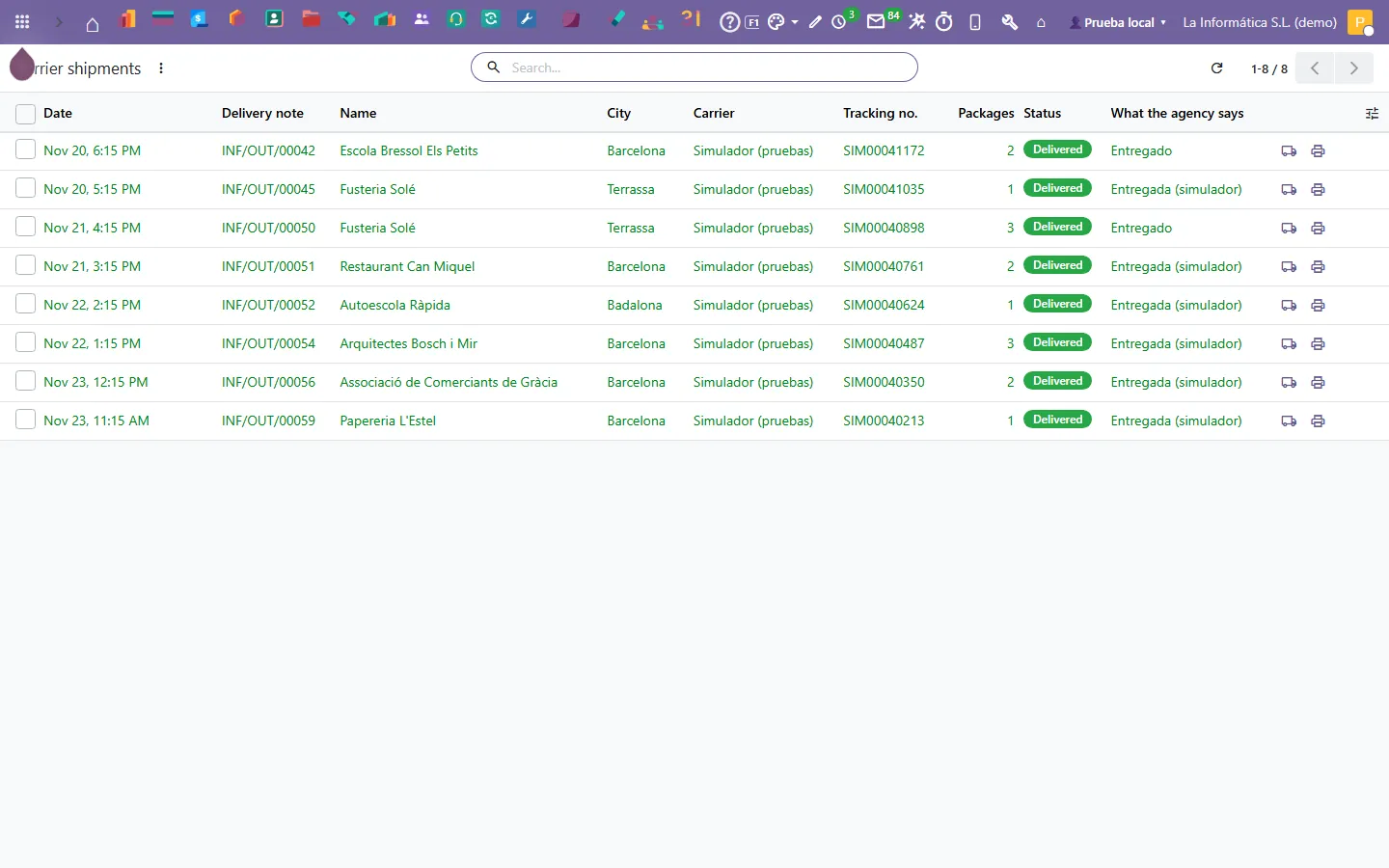
1. Ship with carrier
Button on the outgoing delivery note.

▶ In motion: ship with carrier, point by point.
- 1Agency, packages, weight (calculated) and cash on delivery.
- 2Prefilled from the customer; required fields in yellow.
- 3Send, save the tracking and attach the label.
2. The transport agencies
Inventory › Carriers.
3. The shipment tracking
«Tracking» button.
4. Reprint the label
«Label».
5. Cancel a shipment
«Cancel shipment».
6. The refund
COD field.
7. The weight and packages
Parcels and Weight.
8. The shipping simulator
The «Simulator» carrier.
9. The list of shipments
Inventory › Shipments.
Frequently asked questions
How do I ship with MRW?
On the delivery press «Send with carrier» and «Send». Carriers in Inventory › Carriers.
How do I set up MRW?
Inventory › Carriers.
How do I track a parcel?
«Tracking» button.
How do I print the label again?
«Label».
How do I cancel a shipment?
«Cancel shipment».
How do I ship cash on delivery?
COD field.
How do I set the parcels?
Parcels and Weight.
How do I test without shipping?
The «Simulator» carrier.
How do I see all shipments?
Inventory › Shipments.
Why can't I see Envíos con transportista?
If you can't see it, your internal user lacks the «almacen» permission: the administrator grants it in Home › Internal users.
Ships a delivery note with the agency (MRW and others): recipient details, packages and weight, tracking number and attached label.
There are no comments for now.