GERP ODOO Course
Completed
TPV
The Odoo point of sale for the shop or bar: open the cash register, sell, collect and close with the cash count.
Video course with Ximena and Marc
Press «Empezar» (Start) and turn the volume up: they show you with voice-over and subtitles (in Spanish), in about 3 minutes.
Open full screen
▶ In motion: a sale at the POS, step by step.
- Open cash register: the session opens with the money that is in the drawer.
- Sell: tap the products or read them with the reader.
- Collect: cash, card or several methods at once.
- Ticket: it is printed or sent; if needed, invoice it.
- Closing: cash count and closing of the session at the end.
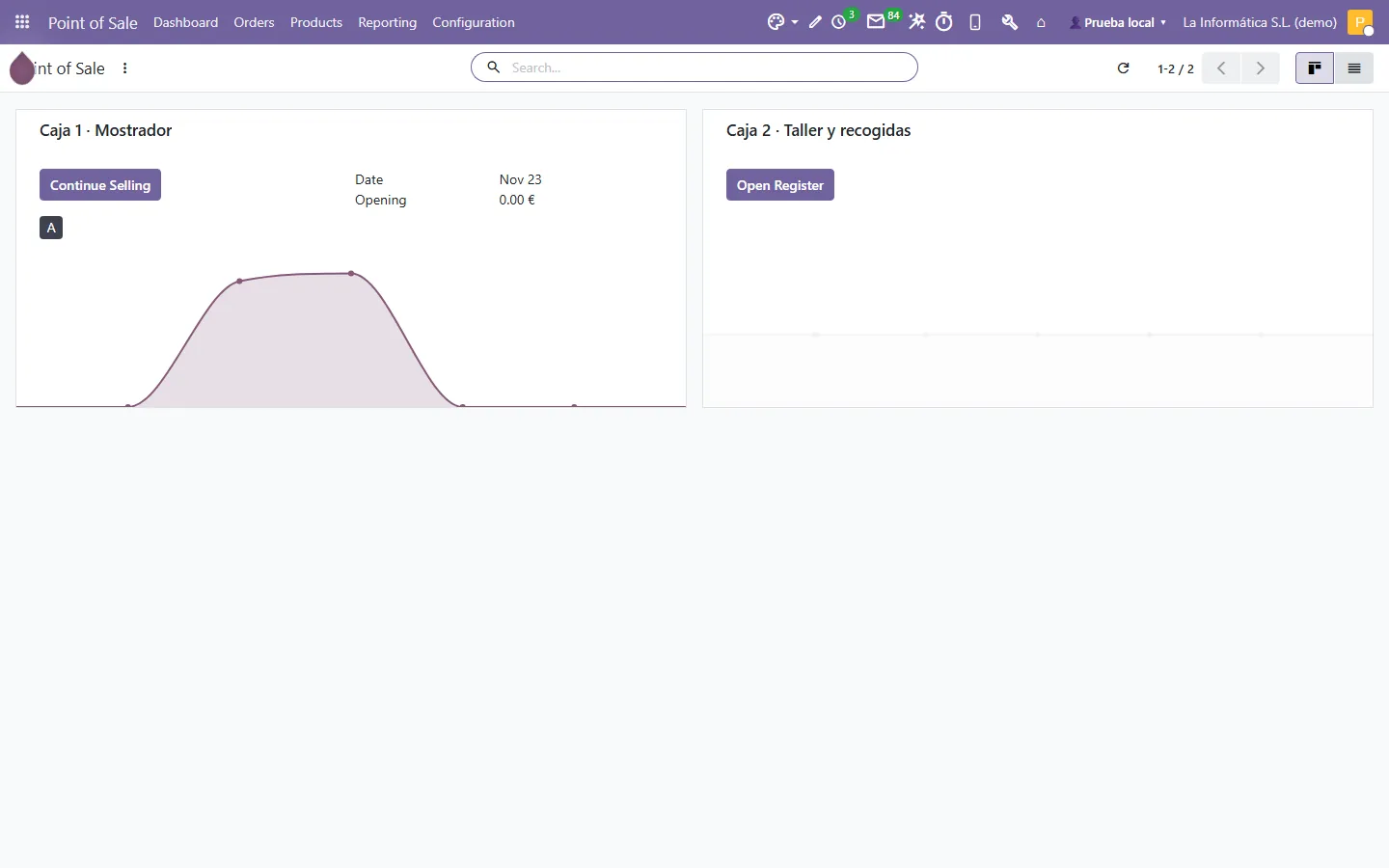
1. Open and close the cash register
Home › POS opens the cash register directly. At the end of the day, «Close» and count the cash.
2. The POS products
Tick «Available in POS».
3. The POS cash registers
POS › Points of sale.
4. The POS orders
POS › Orders.
5. The POS payment methods
Payment methods.
6. The POS invoice
Tick «Invoice».
7. The POS report
POS › Reports.
8. The cash count
On closing, count.
Frequently asked questions
How do I open the till?
Home › POS: open the till, sell and take payment; at the end of the day close and count cash.
How do I add a product to POS?
Tick «Available in POS».
How do I create another register?
POS › Points of sale.
How do I see POS sales?
POS › Orders.
How do I add card payment?
Payment methods.
How do I invoice a ticket?
Tick «Invoice».
How do I see today's sales?
POS › Reports.
How do I balance the till?
On closing, count.
Why can't I see TPV?
If you can't see it, your internal user lacks the «tpv» permission: the administrator grants it in Home › Internal users.
The Odoo point of sale for the shop or bar: open the cash register, sell, collect and close with the cash count.
There are no comments for now.