Company group
Companies marked as «of the group» share products, families, customers and suppliers among them; the others only see their own (and Odoo's system ones).
Video course with Ximena and Marc
Press «Empezar» (Start) and turn the volume up: they show you with voice-over and subtitles (in Spanish), in about 3 minutes.
Open full screen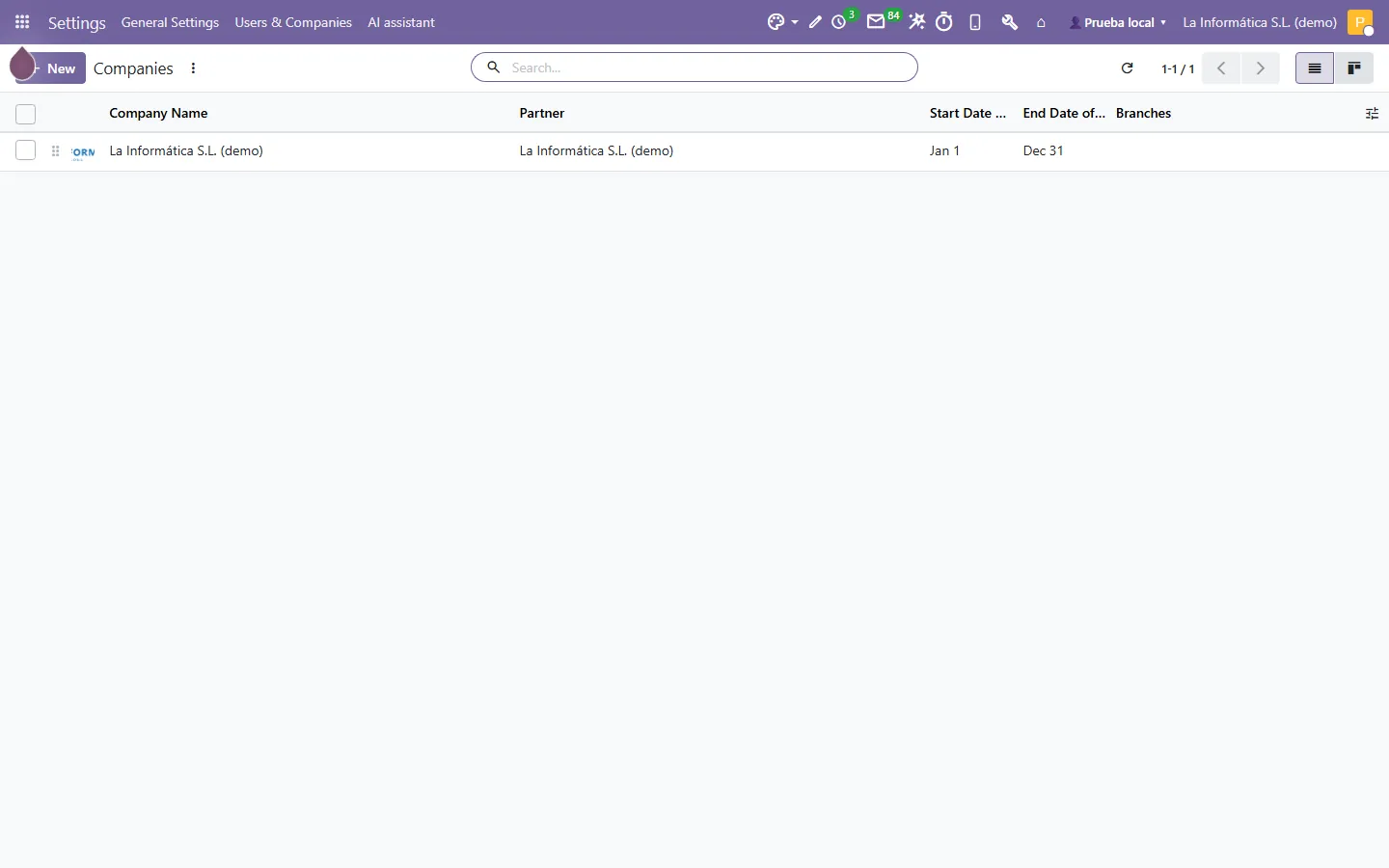
1. What a company group is
When there are several companies in the same database, Odoo only knows two things about a product or a customer: that it belongs to one company or to all of them. This module adds a third: «of the group». Companies marked as part of the group share products, families, customers and suppliers among themselves; the others only see their own.

▶ In motion: what a company group is, point by point.
- 1A company in the group sees its own and that of the whole group.
- 2Another company in the group sees exactly the same as A.
- 3A company outside the group sees nothing of the group.
- 4Shared items: created from one company of the group, seen by all companies in the group.
- 5What is specific to company C, which no other company sees.
2. Mark the group companies
In Settings › Companies open the company and check the box «In the group (shares products and contacts)», which is right below the currency. Check the box in each company you want to share. When you save, the rules are rebuilt immediately with the current group companies.

▶ In motion: mark the group companies, point by point.
- 1The company details, as usual.
- 2The company logo.
- 3The company currency.
- 4The «Of the group» checkbox. Unchecking it takes the company out of the group: it stops seeing what is shared.
How it is done
- Go to Settings › Companies.
- Open the first company of the group and select «Group».
- Save.
- Repeat in the other companies that share.
- Switch company (selector at the top) and check what is shown.
3. What is shared
The following are shared: products (and their variants), customer and supplier contacts, and product families. Brands too, if the «Company group: brands» module is installed. Each element carries internally a «group» brand (it does not appear in the records: it is set automatically) or a company.

▶ In motion: what is shared, point by point.
- 1Products, variants, customers and suppliers, families.
- 2Sees the group's, its own company's and the system's.
- 3Sees only their own and the system's.
- 4The three possibilities of each item.
4. What is checked when creating something
It is decided automatically according to the company you are working with (the company selector at the top). If it belongs to the group, new items are marked «group». If it does not, they belong to that company. A contact created from another inherits that of the parent contact. If you specify the company when creating, your choice is respected. What is loaded when installing modules is not marked.
5. Contacts: customers and suppliers
For contacts, a company outside the group only marks as its own the customers and suppliers (the business contacts). The other contacts, such as those of internal users, are seen by all companies so that Odoo keeps working. Child contacts of a company inherit its ownership.
6. Categories (and brands) separated by company
In standard Odoo, product categories and brands are seen by all companies. Here each one belongs to «the group» or to one company. When installing or updating, the ones that already existed are distributed according to who uses them: system ones, for everyone; those used only by group products or by nobody, to the group; those used by a single outside company, to that company; and those used by the group and another company, the group keeps them and that company receives a copy to which its products are moved.
7. What you need to know
It has no menu of its own or permission in Internal users: it is handled only with the company checkbox, and the one who adjusts companies is the administrator. The records of products, customers and families do not show the «of the group» field: it is set automatically on creation. When duplicating a product or a contact, the copy keeps its ownership.
Frequently asked questions
How do I make several companies share products?
In Settings › Companies open each company that should share and tick «Group (shares products and contacts)». Ticked companies share products, categories, customers and vendors; the others only see their own.
What does «Group» mean?
A group company sees its own items and the whole group's. A company outside the group only sees its own (and Odoo system records, which everyone sees).
I created a product and the other company can't see it
New items are tagged by the company you were working with: group if it is a group company, otherwise that company. Only group companies (or that company) see them. Check in Settings › Companies that both are ticked «Group».
What is tagged automatically when I create a product?
It depends on the company you're working with (top selector): in a group company new records are group records; in an outside one, that company's. If you set the company yourself when creating, that is respected.
How do I take a company out of the group?
In Settings › Companies open the company and untick «Group». On saving the rules are rebuilt and that company stops seeing the group's shared records.
Are product categories shared?
Yes, like products: each category is group-level or company-level. In stock Odoo everyone sees them; here only group companies see group ones and each company sees its own. System ones (like «All») are visible to all.
What happens to existing categories?
On install or update they are split by who uses them: system ones for all; ones used only by the group (or nobody), group; ones used by a single outside company, that company's; if the group and another company use one, the group keeps the original and that company gets a copy its products move to.
Are customers and vendors shared between companies?
Yes, among group companies. An outside company only claims the customers and vendors it creates; internal users' contacts are visible to all. A child contact inherits its parent's ownership.
What are Odoo «system» records?
Whatever Odoo creates itself (the «All» category, tips, user contacts…) belongs to nobody and is visible to every company so Odoo works the same in each.
Is a permission needed for the company group?
It has no menu or permission of its own: it's managed only by the «Group» checkbox on the company record, handled by the administrator (Settings › Companies).
When I duplicate a product, whose is the copy?
Duplicating a product or contact keeps whether it is «group». If you want it to belong to another company, change its company on the form.
What about brands in a company group?
With the «Company group: brands» module (installed automatically when Brands and this module are present) brands are split like products: group brands are seen only by group companies and a company's own only by that company.
Companies marked as «of the group» share products, families, customers and suppliers among them; the others only see their own (and Odoo's system ones).
There are no comments for now.
to be the first to leave a comment.