GERP ODOO Course
Completed
Hospitality and POS
Bars and restaurants as in GestioERP: table plan, send to the kitchen with order tickets printed per area, notes and on-the-house items, split the bill, pre-orders with pagers, kitchen and pick-up screens, bookings (also from the restaurant website), QR menu and kiosk.
Video course with Ximena and Marc
Press «Empezar» (Start) and turn the volume up: they show you with voice-over and subtitles (in Spanish), in about 3 minutes.
Open full screen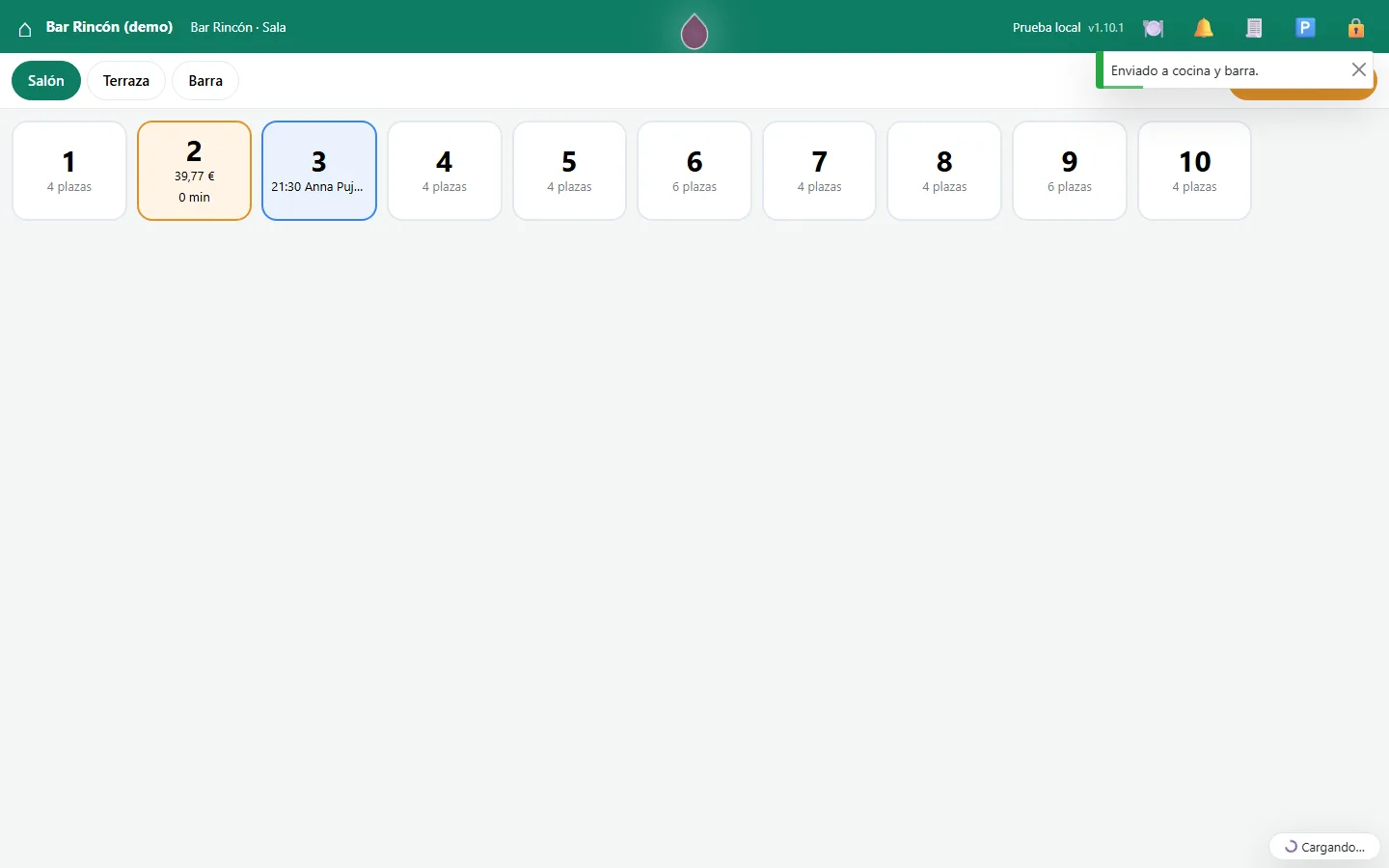
1. The table plan
In the POS of a hospitality till you see the rooms and their tables: free, busy (with amount, guests and minutes) or booked soon. Tap a table to open its bill; every device on the till sees it.

▶ In motion: the table plan, point by point.
- 1The rooms and bar sales.
- 2Each table with its status; tap it to open the bill.
2. Send to kitchen
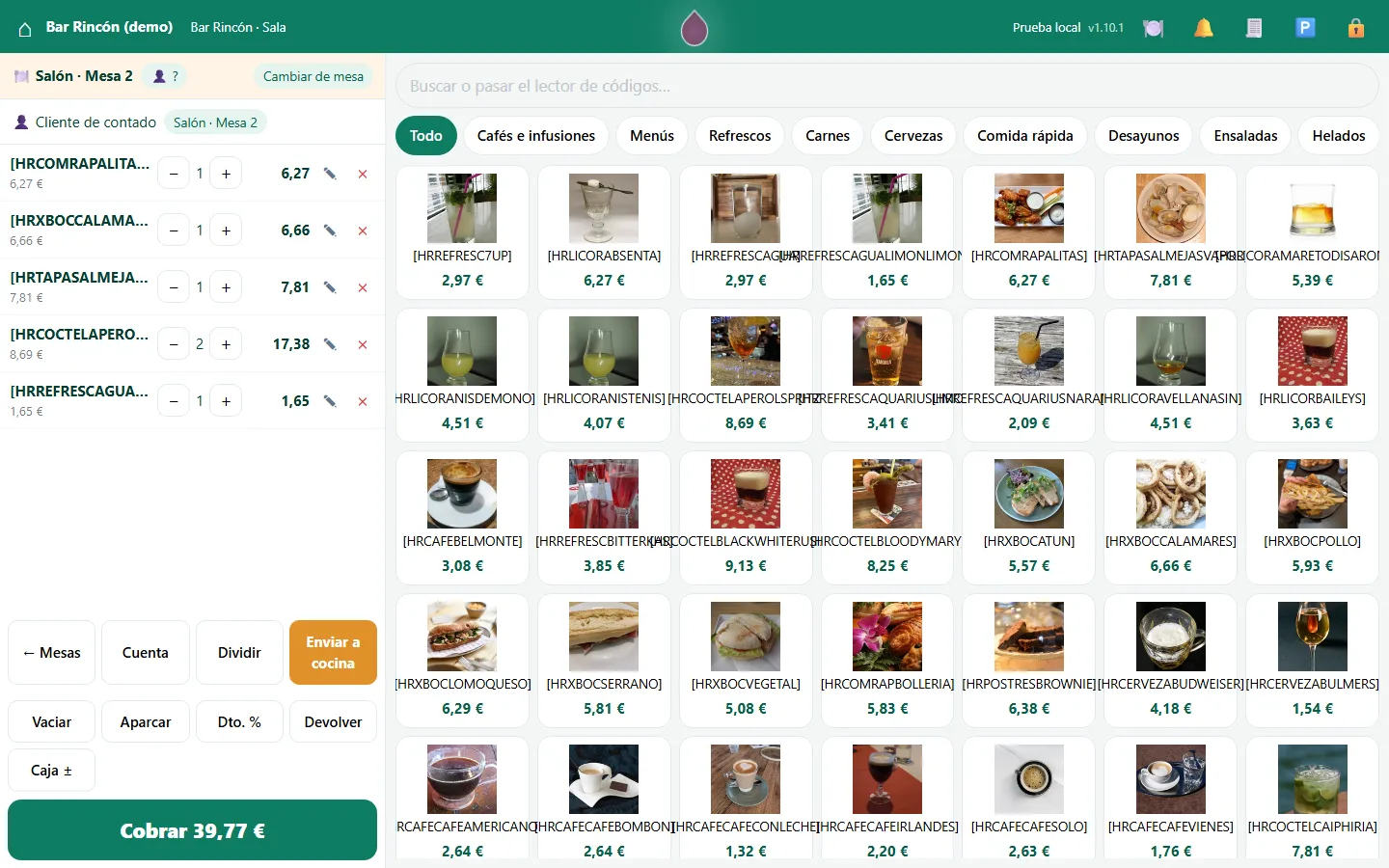
On the table's bill, «Send to kitchen» sends only what is new to each area's kitchen screen and, if the area has a printer, the order ticket prints (with cancelled items apart).
3. Kitchen notes and on the house
With ✎ on the line: notes for the kitchen («No salt», «Rare»…) and «On the house» (needs the discounts permission).
4. The bill and splitting it
«Bill» prints the bill before payment. «Split» takes out the units paid separately; the rest stays on the table.
5. Pre-order with pager
With pre-orders on for the till, what is sold at the bar is charged first and a pager is given (grid 1-40); when the kitchen has it ready, the number shows on the pick-up screen and «Delivered» frees it.
6. Kitchen and pick-up screens
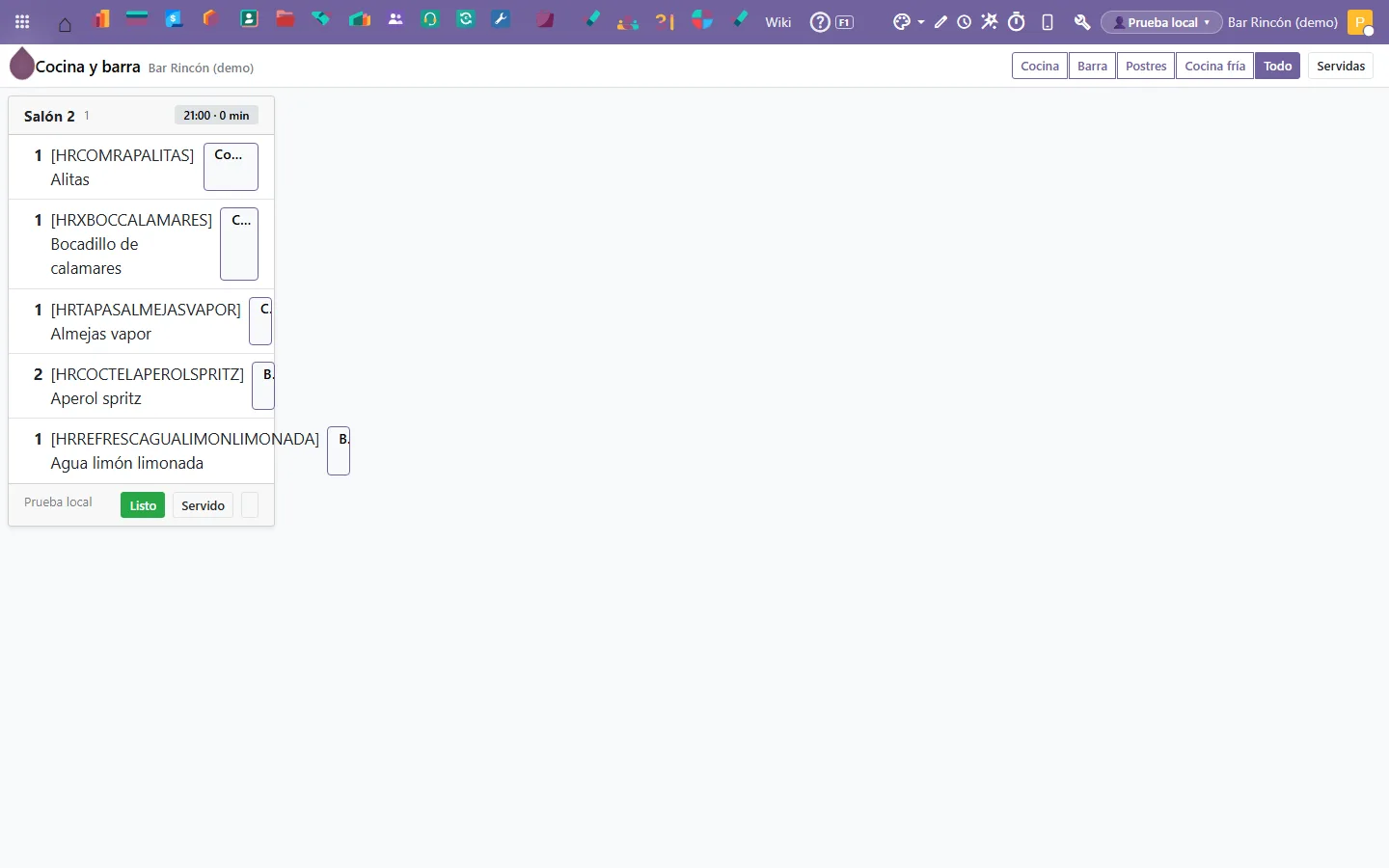
The kitchen screen shows each area's orders with their time: «Ready» and «Served»; 🖨 reprints it. The pick-up screen, on a TV, shows the pagers being prepared and the ready ones.
7. Order tickets printed per area
In Configuration › Preparation areas, each area has its order printer (Direct printing with GestioERP for Windows), its copies and «Test order».
8. Bookings and restaurant website
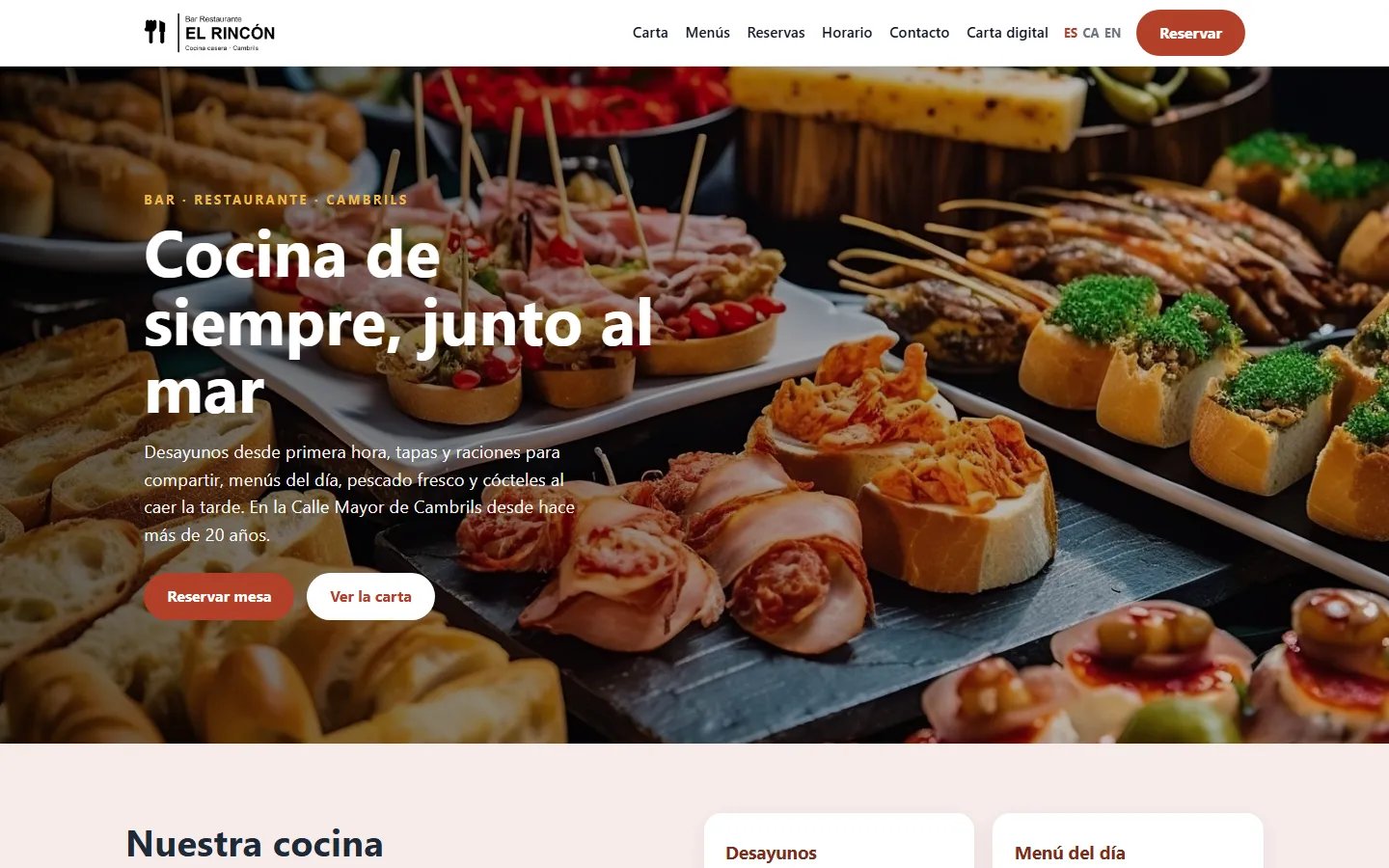
Bookings find a free table by themselves; the restaurant website (/restaurante/<address>) shows the menu with allergens and takes bookings.
Frequently asked questions
How do I open a table?
In the POS, tap the table on the plan (🍽 goes back to it).
How do I send to the kitchen?
On the table's bill, «Send to kitchen»: it goes to its area's screen and printer.
How do I split the bill?
On the table, «Split»: mark what is paid now; the rest stays on the table.
How does the pager work?
With pre-orders on, you pick the pager when charging at the bar; when the kitchen marks it ready, it shows on the pick-up screen.
How do I set a kitchen printer?
In Configuration › Preparation areas, choose the area's printer and try «Test order ticket».
How do I make a booking?
In Hospitality and POS › Bookings: a free table is found automatically. They also come from the restaurant website.
How do I add a kitchen note?
Tap ✎ on the line and pick or type the note; it shows in the kitchen and on the order ticket.
How do I put something on the house?
Tap ✎ on the line and «On the house»; the discounts permission is needed.
Can customers order from the QR menu?
Yes, with the till open: with their table's QR (QR menu and kiosk › table QR sheet) or from “Order” on the restaurant website, choosing the table. The order goes to the table and the kitchen and is paid at the end. The POS warns “New order from the phone · Table…” with a beep and the table shows 📱. With the till closed the menu can only be browsed.
Bars and restaurants as in GestioERP: table plan, send to the kitchen with order tickets printed per area, notes and on-the-house items, split the bill, pre-orders with pagers, kitchen and pick-up screens, bookings (also from the restaurant website), QR menu and kiosk.
There are no comments for now.